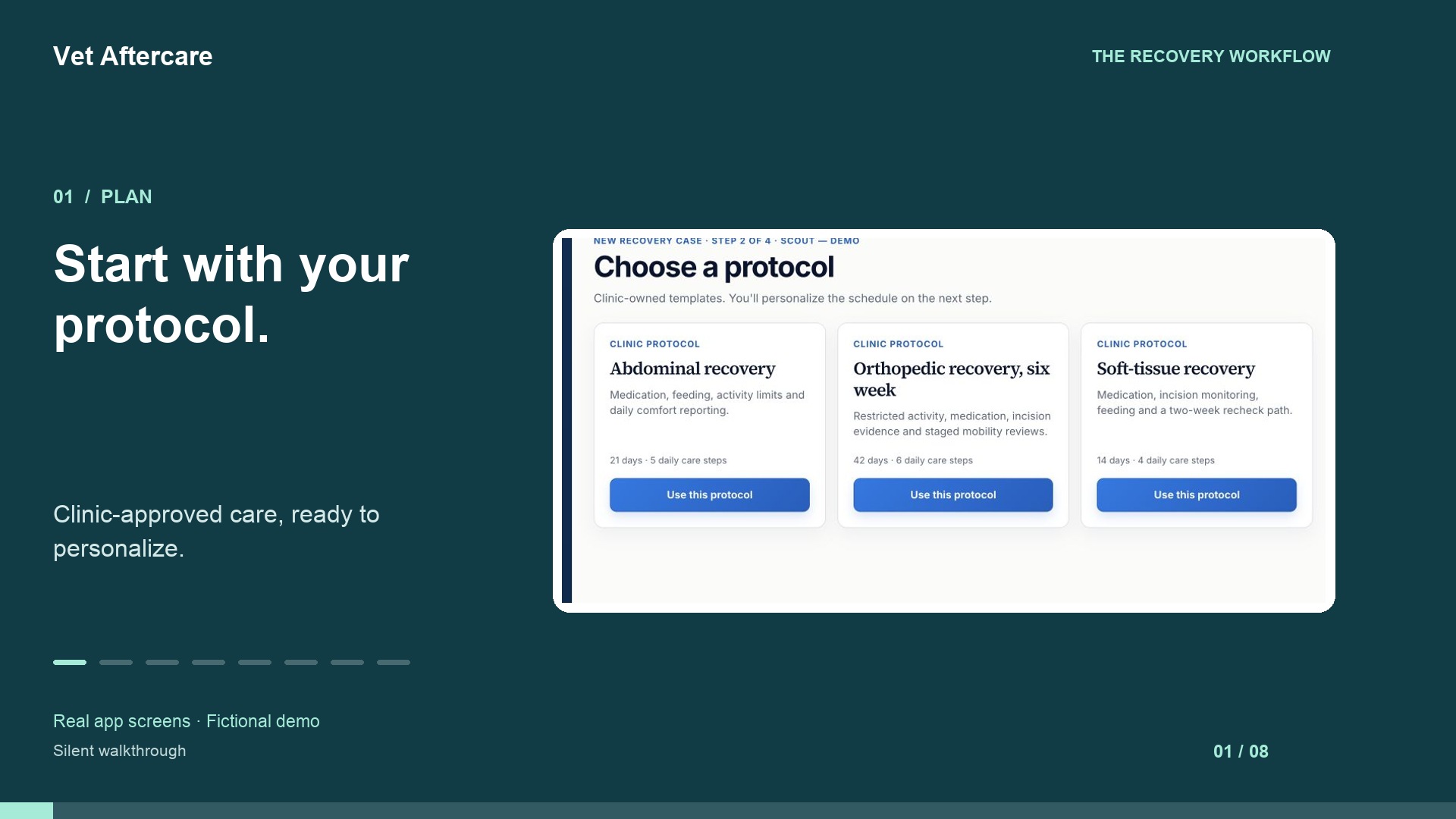
1. Prepare Scout’s plan
The clinic chooses its approved protocol and personalizes Scout’s care steps, check-in questions, timing and follow-up instructions. A team member reviews the plan before sharing the private owner link.
Post-visit follow-up
Connect clinic-directed care plans with owner check-ins, photos and concerns after surgery or another clinic-prescribed recovery visit. Your team reviews flagged updates and replies from the patient’s recovery record, with follow-up responsibility visible in a shared workspace.
Start your free trial →30 days free · No credit card required · No automatic charge
Use the clinic’s attention and issue views to reach flagged check-ins and owner concerns without opening every recovery record.
Claim or assign follow-up so the team can see who is handling it. Review queue status and response targets where configured.
Open the flagged update, read the owner’s observations and respond. Mark an update reviewed when a reply is not needed.
For veterinary nurses, technicians and office teams coordinating clinic-directed follow-up. This is a shared workflow for reviewing recovery information, not automated clinical triage or a guarantee of a response time.
Review administrative handoffs and unfinished actions with the free follow-up workflow audit checklist.
Before adding a follow-up channel, agree who reviews updates and covers unresolved work. Start with the free clinic follow-up checklist and templates. Use the manual follow-up tracker to keep review handover and the next action clear.
Choosing between a spreadsheet and a shared recovery workspace? Use the spreadsheet and follow-up software comparison to decide what to test in your clinic trial.
Fictional workflow example
The clinic chooses its approved protocol and personalizes Scout’s care steps, check-in questions, timing and follow-up instructions. A team member reviews the plan before sharing the private owner link.
At home, the owner opens the plan in a browser, records care steps and answers the clinic’s questions. They can attach a requested photo and add a note asking the clinic to clarify an instruction.
The owner’s note sends the update for clinic review. A staff member claims or is assigned the follow-up, reads the answers and note together, and replies with the clinic’s next step. Updates that need no reply can be marked reviewed.
The plan, submitted updates and replies remain connected to the case. Your team decides how often to review the queue and how to cover unresolved work. Owners should call the clinic directly for urgent help; this is not automated clinical triage or an emergency channel.
See the workflow
Follow a fictional case through a clinic-owned plan, owner check-in and clinic review. No signup needed to watch.
Silent, captioned walkthrough of the app. Fictional clinic and patient; the image attachment is a labelled placeholder.
Create your clinic workspace, prepare the care instructions and questions your team already uses, and configure which answers need review. Agree who checks incoming updates and handles absences before inviting owners. Setup depends on your protocol preparation and staff review; there is no promised setup time.
Try the owner experience with a fictional case first. Check that the instructions, questions and clinic reply make sense together, then adapt the plan for each patient. Explore protocol setup or ask for setup help.
Your team manually enters patient details and prepares the recovery plan. Vet Aftercare does not automatically import or synchronize PIMS records. Export a recovery summary and add it to your existing records through your clinic’s normal process.
US$29 or CA$39 per clinic/month, with unlimited team accounts. The 30-day trial begins when you create your clinic; no credit card is required and there is no automatic charge. See monthly and annual billing options.
Yes. Follow-up can be claimed or assigned so responsibility is visible to the clinic team.
No. Your clinic reviews the information and makes the care decisions.
Create your clinic, prepare a plan and explore the owner experience during your 30-day trial.
Create my clinic →Ask a questionExplore Vet Aftercare